Best Software for Crypto Trading in 2026: 15+ Tools Compared

Table of Contents
According to FCA research updated for 2026, 78% of retail crypto traders close the year red. The brutal part? Most of them blame strategy, leverage, or "the market." The real culprit is usually their toolkit — outdated charts, scammy bots, no on-chain data, and zero portfolio visibility. The top 10% who actually pull profit out of this market run a stack. Not one app. A coordinated set of software for crypto trading that handles analysis, execution, automation, and risk in parallel.
This guide compares 15+ tools across charting, bots, analytics, and portfolio tracking with real pricing, pros and cons, and ratings pulled from active testing. No affiliate fluff, no "top 10" filler. You'll see exactly what to pay for, what to skip, and how to combine tools so you're not bleeding money on duplicate subscriptions.
Why Your Crypto Trading Software Choice Matters in 2026
The market has changed. Spreads are tighter, AI-driven order flow eats slow retail entries, and on-chain data now moves price before TradingView candles even print. If your software stack lags by even 30 seconds, you're entering after the smart money has already exited.

How Poor Tools Cost Traders Money: On-Chain Data and Real Examples
Take the BTC flush in February 2026. CoinGlass data showed $1.8 billion in long liquidations across a four-hour window. Traders using basic exchange charts saw the dump after it happened. Traders running Glassnode exchange inflow alerts and TradingView liquidation heatmaps were short before the candle even broke support. Same market, different tools, opposite P&L.
What Has Changed in 2026: AI Integration, Solana Support, and Regulatory Compliance
Three shifts matter this year. AI signal engines now process order book depth, funding rates, and sentiment in one feed. Solana and Base have eaten serious bot volume — DefiLlama tracks over $4 billion in daily DEX volume on Solana alone. And MiCA compliance in the EU plus stricter US rules mean tools without proper KYC integrations are getting delisted from major exchanges.
Exchange vs. Third-Party Software: What is the Real Difference?
Exchange tools (Binance, Bybit, OKX native interfaces) are free but limited. You get basic TradingView charts, simple TP/SL, and that's it. Third-party software gives you multi-exchange execution, advanced backtesting, custom indicators, and automation. The trade-off is monthly fees and API security risk. For anything beyond casual swing trading, you need third-party tools.
Top 5 Charting and Analysis Tools: TradingView vs Coinigy vs Alternatives
Charting is where every trade decision starts. The best crypto charting tools in 2026 separate themselves by data quality, indicator depth, and how cleanly they integrate with execution platforms.
TradingView: Still the King or Overpriced in 2026?
TradingView still dominates. It supports 16 charts per screen on the Premium tier, 100+ built-in indicators, and Pine Script v6 for custom strategies. The Essential plan runs $14.95/month, Plus is $29.95, Premium hits $59.95, and the new Ultimate tier sits at $99.95. For most traders, Plus is the sweet spot — multi-chart layouts, no ads, and 10 indicators per chart.
Verdict: still worth it, but only if you actually use the multi-chart and alert features. If you're staring at a single BTC chart all day, you're overpaying.
Coinigy: Multi-Exchange Charting for Power Users
Coinigy connects to 45+ exchanges and lets you trade directly from charts. At $18.66/month for the Pro plan, it's cheaper than TradingView Premium and gives you unified order management across CEXs. The downside is the indicator library feels dated next to TradingView, and the mobile app crashes more than it should.
GoCharting and Other TradingView Alternatives Worth Considering
GoCharting is the strongest TradingView alternative for futures traders — it has native footprint charts, volume profile, and order flow tools without the $99/month TradingView upgrade. TrendSpider scores a 4.72-star rating in active testing thanks to its automated trendline detection and AI pattern recognition. Plans start at $39/month.
Other names worth checking: TabTrader for mobile-first execution, Altrady for grid scanners, and Velo Data for free funding rate dashboards.
Best Free Charting Tools for Beginners vs Paid Plans for Pros
If you're new, start free. TradingView's free tier gives you one chart, three indicators, and basic alerts — enough to learn. Add Velo Data for funding rates and CoinGlass free tier for liquidation maps. Total cost: $0. Once you're consistently profitable on a small account, upgrade to TradingView Plus and add one paid analytics tool.
Charting Tools Comparison Table: Features, Pricing, and Ratings
| Tool | Starting Price | Best For | Rating |
|---|---|---|---|
| TradingView | $14.95/mo | All-around charting | 4.8/5 |
| Coinigy | $18.66/mo | Multi-exchange execution | 4.2/5 |
| GoCharting | $25/mo | Futures order flow | 4.4/5 |
| TrendSpider | $39/mo | AI pattern detection | 4.72/5 |
| TabTrader | Free | Mobile execution | 4.1/5 |
Best Automated Trading Bots and Algos for Hands-Off Profits
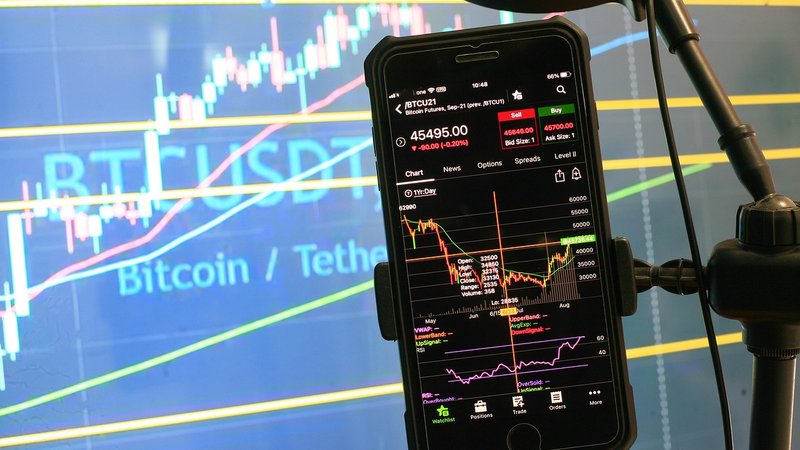
Bots are where retail traders get scammed the hardest. The "1% daily guaranteed" bots are pyramid schemes — full stop. Real automated crypto trading bots are tools, not money printers, and they require strategy input from you.
Top Crypto Trading Bots for Beginners: 3Commas, Pionex, and More
3Commas is still the most user-friendly entry point at $14.50/month for the Pro plan. It supports 18+ exchanges, smart trading terminals, and DCA bots with sensible defaults. Pionex bundles 16 free bots inside its own exchange — you pay no subscription, but Pionex takes 0.05% per trade. For a beginner with under $5,000 capital, Pionex is the cleanest entry.
Cryptohopper sits in the middle at $24.16/month with strong copy-trading features and a marketplace of pre-built strategies.
Advanced Algorithmic Crypto Trading Platforms for Pro Traders
For algorithmic crypto trading at a serious level, look at HaasOnline ($9–$59/month with custom HaasScript), Gunbot (one-time $399 license, no recurring fees), and Trality (Python-based bot creation). Quadency was acquired and rebranded but still supports advanced multi-leg strategies.
If you can code, Freqtrade is open-source and free. You'll need a VPS at around $10/month and basic Python skills, but the backtesting engine is better than most paid tools.
Which Bots Support High-Frequency Trading on Solana and Layer 2 Chains?
HFT on Solana requires sub-second execution. Photon, BullX, and Trojan dominate Solana memecoin sniping with sub-200ms execution. For Base and Arbitrum, Banana Gun and Maestro lead. Fees are steep — typically 1% per trade — but for traders running 50+ trades a day on low-cap tokens, the speed pays for itself.
How to Spot and Avoid Crypto Bot Scams in 2026
Other red flags: Telegram-only "signal bots" with no public track record, bots that require deposits to their own wallets, and "AI" platforms with vague backtest claims and no live performance data.
Bot Pricing Breakdown: Hidden Fees in Free Plans Exposed
"Free" bots aren't free. Pionex charges 0.05% per trade, which on a $10,000 account running 20 trades daily costs you $36/month. 3Commas free tier limits you to one active bot and basic indicators — useless for serious trading. Cryptohopper's free trial expires in 7 days, then locks your strategies until you pay. Always check trade fees, withdrawal fees, and feature limits before committing.
Crypto Trading Bots Comparison Table: Speed, Strategies, and Cost
| Bot | Monthly Cost | Best Use | Skill Level |
|---|---|---|---|
| Pionex | Free + 0.05% fee | Grid + DCA | Beginner |
| 3Commas | $14.50 | Smart terminal | Beginner-Intermediate |
| Cryptohopper | $24.16 | Copy trading | Intermediate |
| HaasOnline | $59 | Custom scripts | Advanced |
| Freqtrade | Free (self-host) | Python algos | Advanced |
Scanning the market for setups like this manually takes hours. XeroGravity does it automatically — AI-powered signals with entry, take profit, and stop loss levels delivered to your dashboard in real time. Start free.
Portfolio Trackers, DeFi Tools, and On-Chain Analytics Platforms
If you're not tracking your portfolio across exchanges and wallets, you don't know your real P&L. Most traders overestimate their returns by 30–40% because they ignore fees, slippage, and stranded positions on dead chains.
Best Crypto Portfolio Trackers: CoinStats, Delta, and Zerion Compared
CoinStats supports 300+ wallets and exchanges with auto-sync via API. Premium runs $13.99/month and gives you unlimited connections plus tax reports. Delta is cleaner for mobile users at $9.99/month but lacks DeFi depth. Zerion is the strongest free option for DeFi-heavy traders — wallet connection only, no exchange API needed, and it auto-tracks LPs, lending positions, and NFTs.
On-Chain Analytics Tools: Nansen, Glassnode, and Dune Analytics
Nansen labels wallets so you can follow smart money. The Standard plan at $150/month is steep but pays for itself if you trade altcoins — knowing when a top-10 ETH wallet accumulates a token before it pumps is alpha. Glassnode is the gold standard for BTC and ETH on-chain metrics, starting at $39/month for the Standard tier. Dune Analytics is free for query viewing — every serious DeFi trader bookmarks at least 10 Dune dashboards.
DeFi Analytics Tools for Yield Tracking and Risk Assessment
DefiLlama is free and tracks TVL across 3,000+ protocols. For yield farming, use DeBank to monitor your positions and Revert Finance for Uniswap v3 LP analytics. Risk assessment: check Exponential.fi or DeFiSafety before depositing into any new protocol.
How to Use On-Chain Data to Time Entries and Exits
Three on-chain signals worth watching: exchange inflows (large BTC inflows usually precede selling pressure — Glassnode tracks this in real time), stablecoin supply expansion (rising USDT/USDC supply on exchanges signals incoming buy pressure), and funding rates (extreme positive funding above 0.1% on Binance perps signals overcrowded longs and likely flush).
Portfolio Tracker Comparison Table: Free vs Paid, Mobile vs Desktop
| Tracker | Price | Strength | Platform |
|---|---|---|---|
| Zerion | Free | DeFi + NFTs | Mobile + Web |
| CoinStats | $13.99/mo | CEX + DeFi sync | All platforms |
| Delta | $9.99/mo | Clean mobile UX | Mobile-first |
| DeBank | Free | DeFi positions | Web |
| Nansen Portfolio | Free tier | Smart money labels | Web |
How to Integrate Multiple Crypto Tools Without Overpaying
The mistake most traders make: subscribing to five tools that overlap by 70%. Smart stacking means each tool covers a distinct job — charts, automation, on-chain, portfolio, signals.
The Ideal Beginner Software Stack Under 50 Dollars Per Month
TradingView Plus at $29.95 + Pionex (free, pay per trade) + Zerion (free) + CoinGlass free tier + DefiLlama free. Total: $29.95/month. This stack covers charting, automation, portfolio, liquidations, and DeFi yield. Don't pay for anything else until you're consistently green for 90 days.
The Pro Trader Stack: TradingView Plus Bot Plus Analytics Integration
TradingView Premium ($59.95) + 3Commas Pro ($14.50) + Glassnode Standard ($39) + Nansen Standard ($150) + CoinStats Premium ($13.99). Total: ~$277/month. Heavy, but if you're trading a $50K+ account, it's roughly 0.5% of capital per month — easily justified by one well-timed trade.
API Keys, Webhooks, and Connecting Tools Without Losing Money on Fees
TradingView alerts can fire webhooks directly into 3Commas, Cryptohopper, or custom servers. This eliminates the need for separate signal services. Lock API keys to trade-only permissions and whitelist your IP plus your bot provider's IP. Never enable withdrawal permissions on any third-party tool — ever.
Real Cost Audit: What Professional Crypto Trading Software Actually Costs in 2026
Full Comparison Table and How to Choose the Right Software for Your Trading Style
Master Comparison Table: 15 Plus Crypto Trading Software Tools Rated
| Category | Top Pick | Budget Pick | Pro Pick |
|---|---|---|---|
| Charting | TradingView | TabTrader (free) | TrendSpider |
| Bots | 3Commas | Pionex | HaasOnline |
| Portfolio | CoinStats | Zerion | Nansen Portfolio |
| On-Chain | Glassnode | CoinGlass free | Nansen |
| DeFi | DefiLlama | DeBank | Dune Analytics |
How to Choose Software Based on Your Trading Style and Goals
Day traders need speed: TradingView Premium + Coinigy or direct exchange interface. Swing traders need analysis depth: TradingView + Glassnode + a portfolio tracker. DeFi degens need on-chain visibility: Zerion + DeBank + Dune. Algo traders need backtesting: Freqtrade or HaasOnline + custom data feeds.
Setup Guide: Getting Started with Your First Crypto Trading Tool
Start with TradingView free. Open accounts on two exchanges (Binance + Bybit covers 90% of liquidity per CoinGecko data). Generate read-only API keys first, test your portfolio tracker, then upgrade to trade-only keys for your bot. Run one strategy for 30 days minimum before adding complexity.
Free Trials and Money-Back Guarantees Worth Knowing About in 2026
3Commas: 3-day Pro trial. Cryptohopper: 7-day free. TrendSpider: 7-day full access. Glassnode: no trial but month-to-month with no contract. TradingView: 30-day Premium trial if you sign up via the annual plan and cancel before day 30.
Scanning the market for setups like this manually takes hours. XeroGravity does it automatically — AI-powered signals with entry, take profit, and stop loss levels delivered to your dashboard in real time. Start free.
The traders who consistently profit don't have a magic indicator or insider edge. They have a stack — disciplined, layered, and properly integrated. Start with the free tier setup, prove your strategy works on small size for 90 days, then scale to paid tools as your edge shar